Admin panel
The admin panel at /admin is for the platform operator, not for clubs. It exists only when TARGETLOG_ADMIN_TOKEN is set; log in with that token. The login cookie is valid for eight hours on any replica; ten wrong tokens within 15 minutes block further attempts from that address.
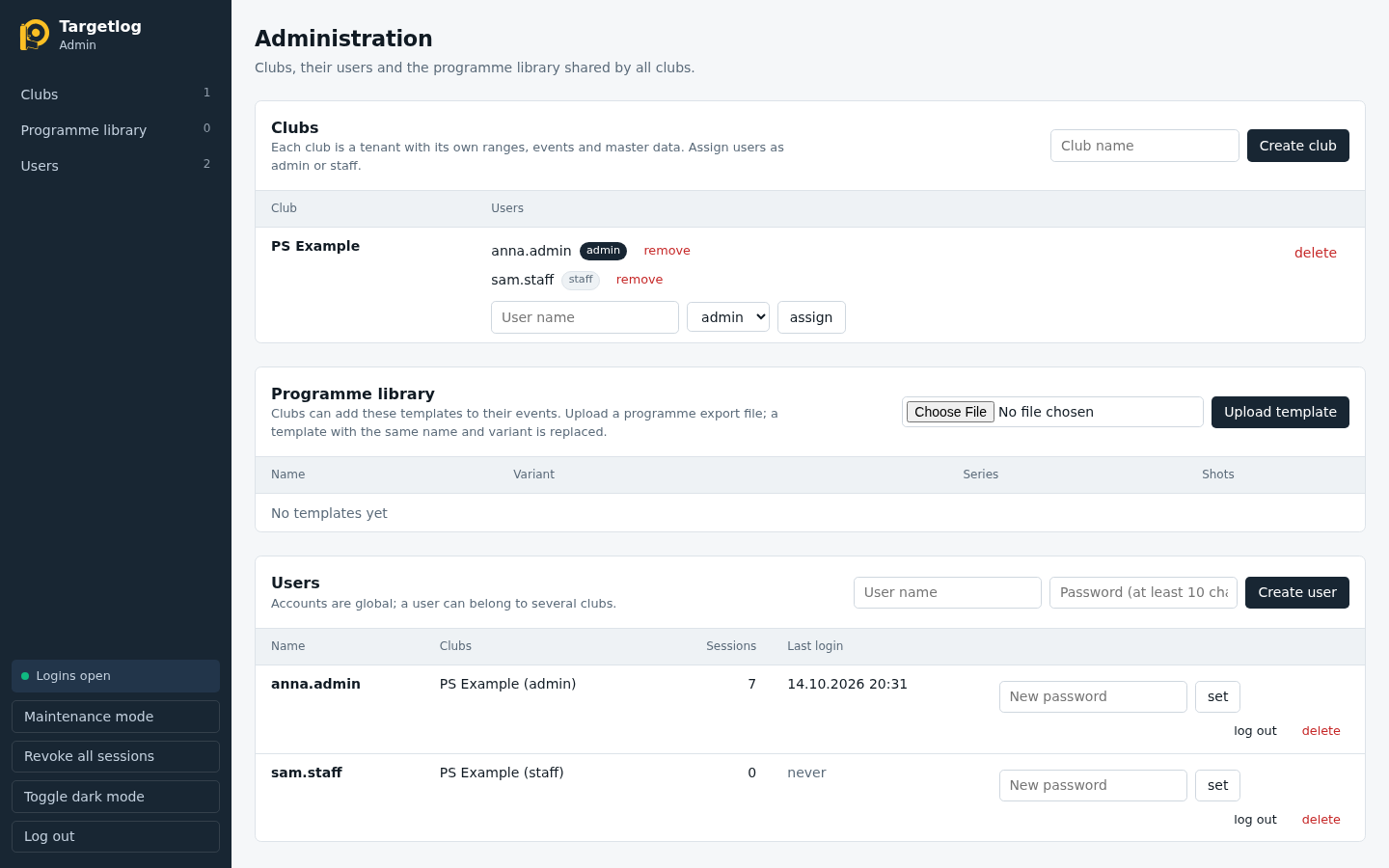
Clubs
- Create club creates a tenant.
- assign adds an existing user to a club as admin or staff; remove takes the access away.
- delete removes a club with all its data (ranges, events, registrations, shooters). It asks for confirmation and cannot be undone.
Programme library
Programme templates that every club can add to its events. Upload template takes a programme file exported from an event; a template with the same name and variant is replaced. download and delete per template.
Users
- Create user with a user name (lower case) and a password of at least 10 characters.
- set a new password, e.g. after a forgotten password.
- log out ends all sessions of a user; delete removes the account.
System
In the sidebar:
- Maintenance mode blocks new logins; users already logged in keep working. Allow logins again ends it.
- Revoke all sessions logs out every user.
- Toggle dark mode follows the same setting as the app.
The panel is in English only.