Programmes
Programmes belong to an event and are managed in its Setup (admins only).
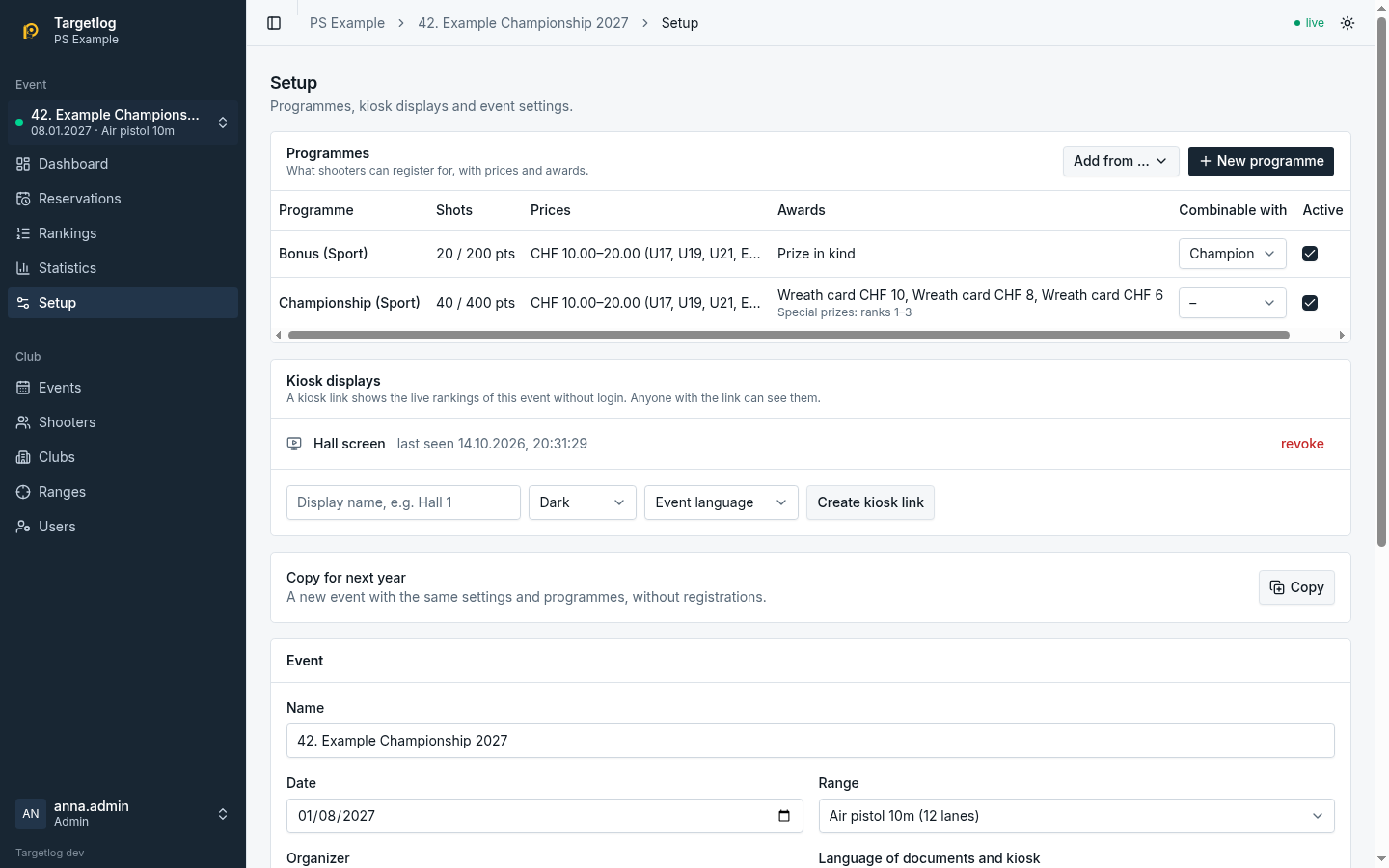
Adding programmes
- New programme opens the editor.
- Add from … → Programme library: a template of the global library, maintained by the platform operator.
- Add from … → Earlier event: copies all programmes of another event of the club, including combinations and special prizes. Programmes whose name and variant already exist are skipped.
- Add from … → Programme file: imports a programme file exported from another event or club.
The editor
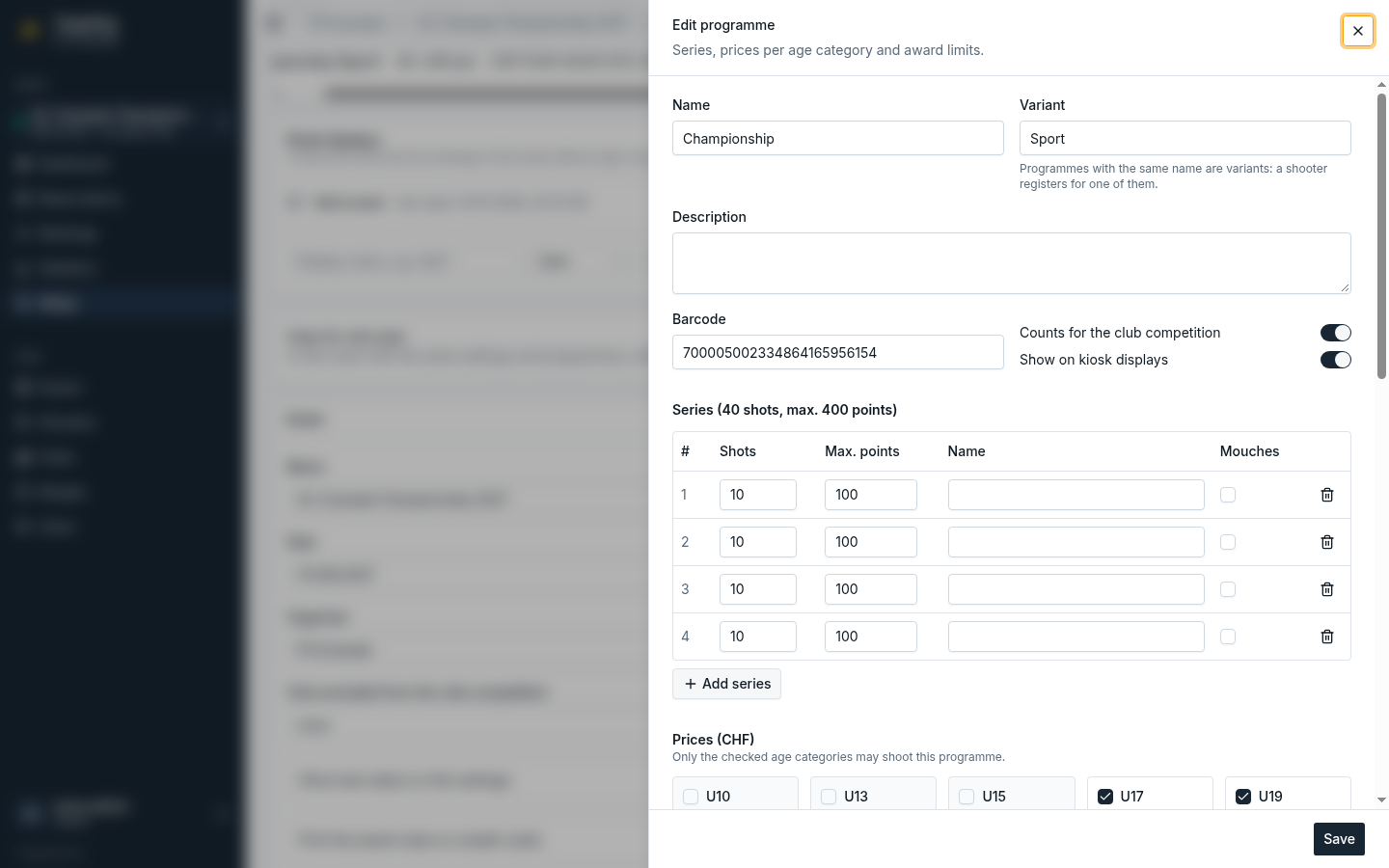
- Name and Variant: programmes with the same name are variants of each other; a shooter registers for one of them.
- Barcode: printed on the lane sheet for electronic scoring (see Codes).
- Counts for the club competition and Show on kiosk displays.
- Series: shots, maximum points and whether mouches are tracked, per series.
- Prices (CHF): only the ticked age categories may shoot the programme.
- Awards: name, kind (wreath card or prize in kind), value and the minimum total per age category; leave a category empty where the award is not available.
Once shooters are registered for a programme, its definition is locked so results and awards stay consistent. The following still work on a programme in use:
- Active: inactive programmes cannot be chosen for new registrations; existing ones keep them.
- Combinable with: the programme whose series this one may take at registration.
- Special prizes (see below).
Export downloads the programme as a file; Delete is only possible while nobody is registered.
Special prizes
Special prizes in the programme menu awards the best ranks of every age category, for example ranks 1–3 in every category with at least 10 participants, counting only shooters whose club has at least 4 participants in this programme. Skipped shooters make room for the next one. The exact rule is in Competition rules; the winners are in the report Special prizes under Statistics.
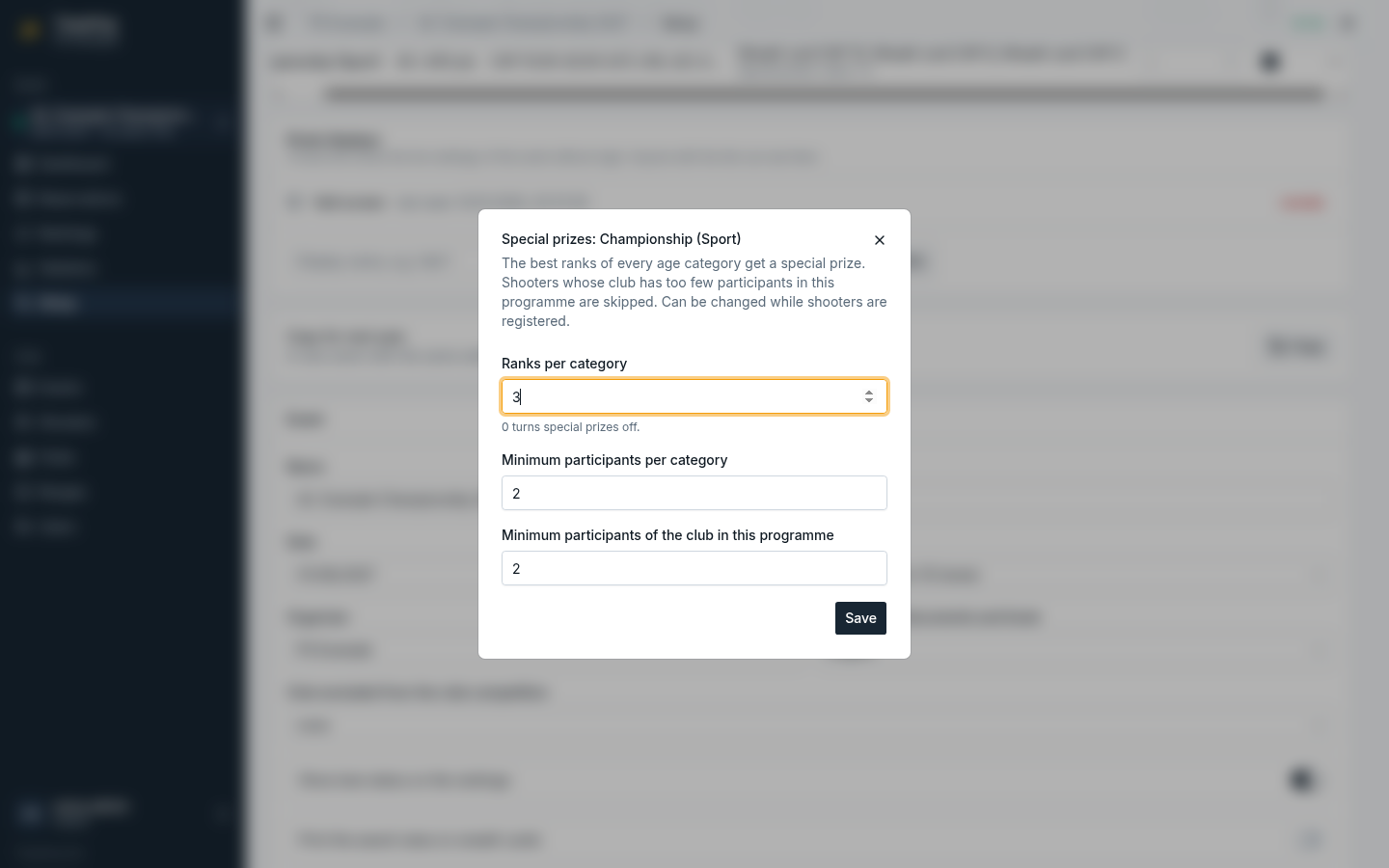
Ranks 0 turns special prizes off. The settings can be changed at any time, also after the event.