Registrations
A registration puts a shooter on a lane with the programmes they shoot. Open it from the dashboard search (Register for …).
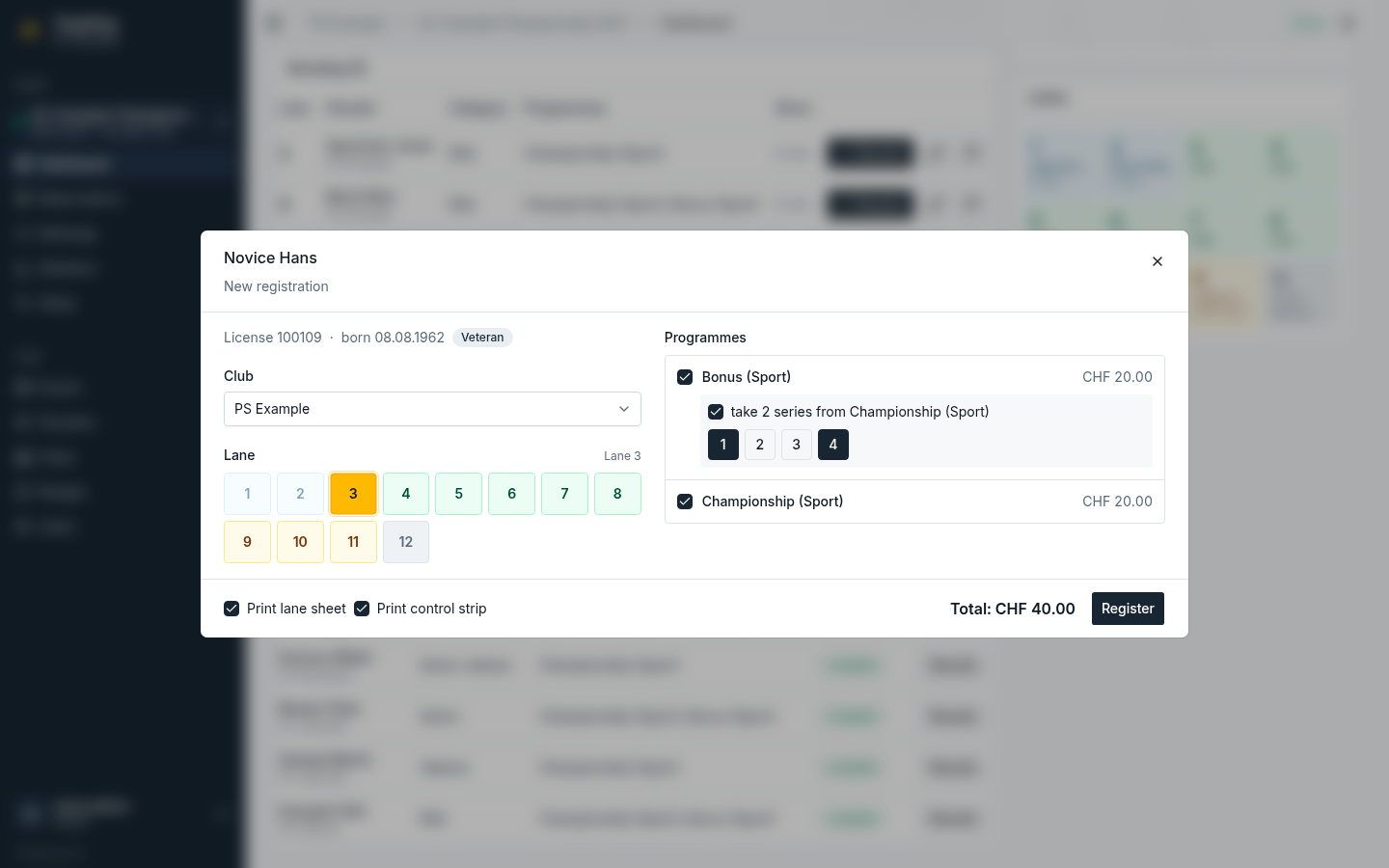
Lane
Pick a free lane in the grid, or leave it empty: the shooter then waits until you assign a lane by editing the registration.
- Occupied and out-of-service lanes cannot be picked.
- A reserved lane asks for confirmation before it is used.
Programmes
The programmes of the event with their price for the shooter's age category. Programmes without a price for that category are greyed out (not for this age category).
- Variants (same programme name) appear as a choice of one.
- A combinable programme offers take N series from …: tick it and pick exactly N series of the other programme. The other programme is added automatically if it is not chosen yet.
- The total at the bottom adds up the prices.
Shooter already registered
If the shooter is or was registered at this event before, a notice lists those registrations with their programmes and a link to open them. Programmes already booked are locked (already registered); a shooter may still shoot another variant in a separate registration.
Printing
Print lane sheet and Print control strip are ticked by default: the documents print on the range's printers right after registering, or open as PDF if no printer is set up (see Printing).
Editing and deleting
Open a registration from the dashboard (pencil button) or from the results (Edit registration) to change the lane or the programmes. Programmes that already have results cannot be removed; changing the picked series of a combination copies the new series. Delete removes the registration with its results after a confirmation.